Abstract
With the widespread adoption of IoT, smart homes have gradually permeated our daily lives. Concurrently, issues related to device compatibility, personal data security, and data fragmentation have become increasingly severe. Compatibility issues between devices from major tech companies, coupled with the potential loss of user personal data due to service providers discontinuing services, have hindered the growth of the smart home device market, and posed threats to users’ privacy and security. In this study, we advocate the use of the ActivityPub protocol, which is widely used in decentralized social networks, as the communication protocol for smart homes. In this way, users can manage their smart home data and social network data in a centralized and unified manner. We attempt to convert the existing communication protocols of smart home devices to the ActivityPub protocol, achieving interconnectivity between IoT devices from various companies. The Ubi-House system adheres to the “Human-centric” principle, where users manage their own smart home data and social network data within the system. Through authorization management features, users can independently decide on the sharing targets and scope of their data. Our research addresses the fragmentation issue of smart home data. Through the Ubi-House system, users can better control their data and ensure the security of their personal information. With user authorization, third-party software can assist users in understanding their usage habits, environmental conditions, and more, enhancing their comprehension of their own data. The comprehensive data collected by the Ubi-House system can be utilized with digital twin technology to construct virtual user behaviors, predict device usage, promote integration with multiple domains, optimize energy consumption, understand user needs more accurately, and provide personalized services.
中文:
随着IoT的广泛应用,智能家居已经逐渐渗透到我们的日常生活中。然而,这些数据大多由数据平台公司掌握。平台公司有时会泄露数据,有时会停止无利可图的服务。与此同时,设备兼容性问题和个人数据安全问题、碎片化问题也日益严重。
在本研究中,我们开发了Ubi-House系统通过整合社交和物联网数据,为用户提供个性化的智能家居管理。系统遵从“以人为本”的原则,用户的智能家居数据和社交网络数据由用户自己管理。通过授权管理功能,用户可以自主决定数据的共享对象和范围。我们提倡把广泛应用于去中心化社交网络的ActivityPub协议作为智能家居的通信协议,这样可以统一集中管理用户的智能家居数据和社交网络数据。尝试把现有的智能家居设备的通讯协议转换成ActivityPub协议,实现各个公司的物联网设备的互联互通。
我们的研究解决了智能家居数据的碎片化问题。利用Ubi-House系统用户能更好地控制数据,保护个人数据安全。经用户授权,第三方软件可帮助用户了解使用习惯、环境状况等,增强对自身数据的理解。Ubi-House系统收集的完整数据可以用数字孪生技术构建虚拟用户行为,预测设备使用,更准确理解用户需求,并提供个性化服务。
The Concept of the Ubi-House System and the Fediverse
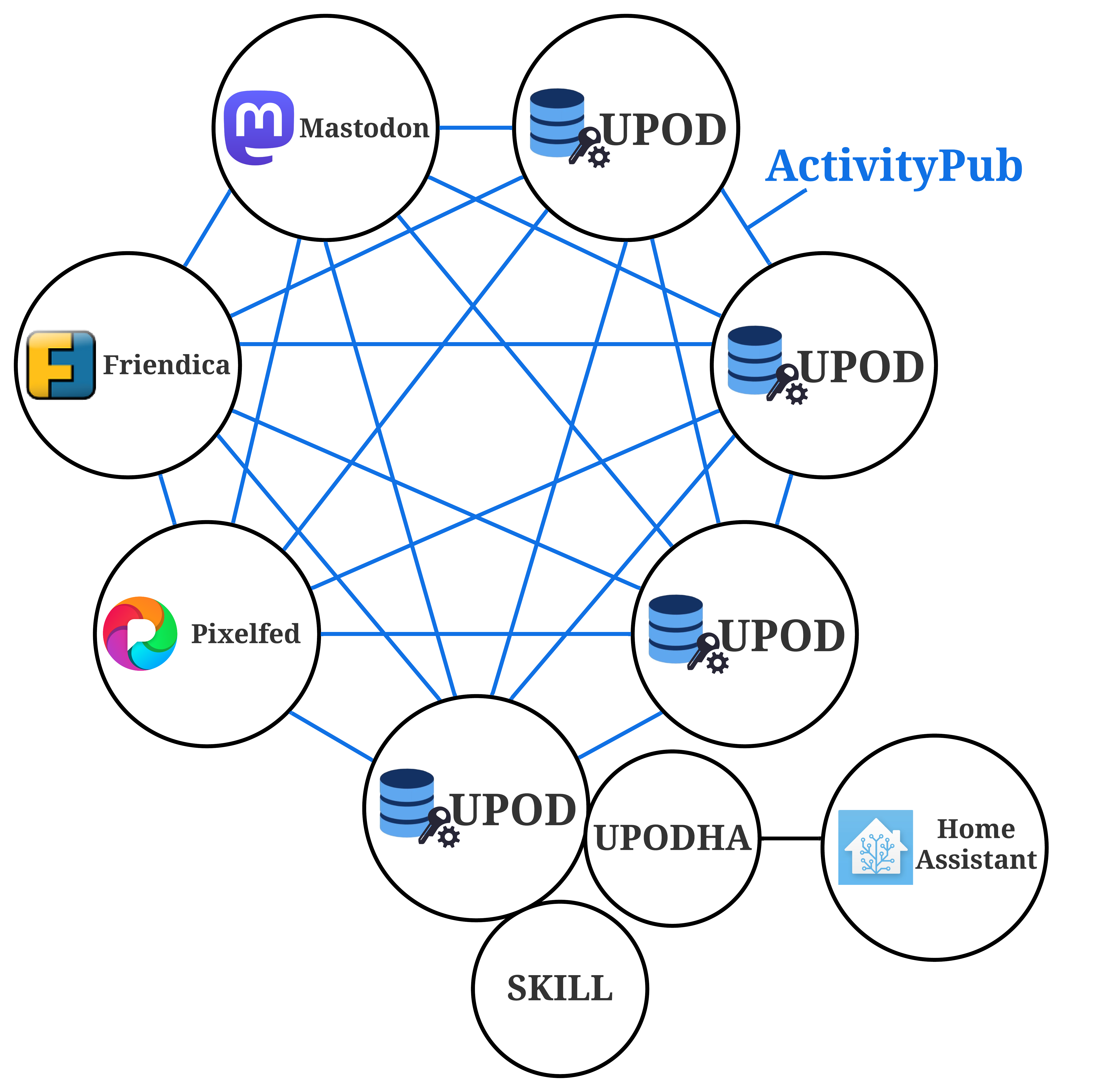
Fundamental Framework of the Ubi-House System
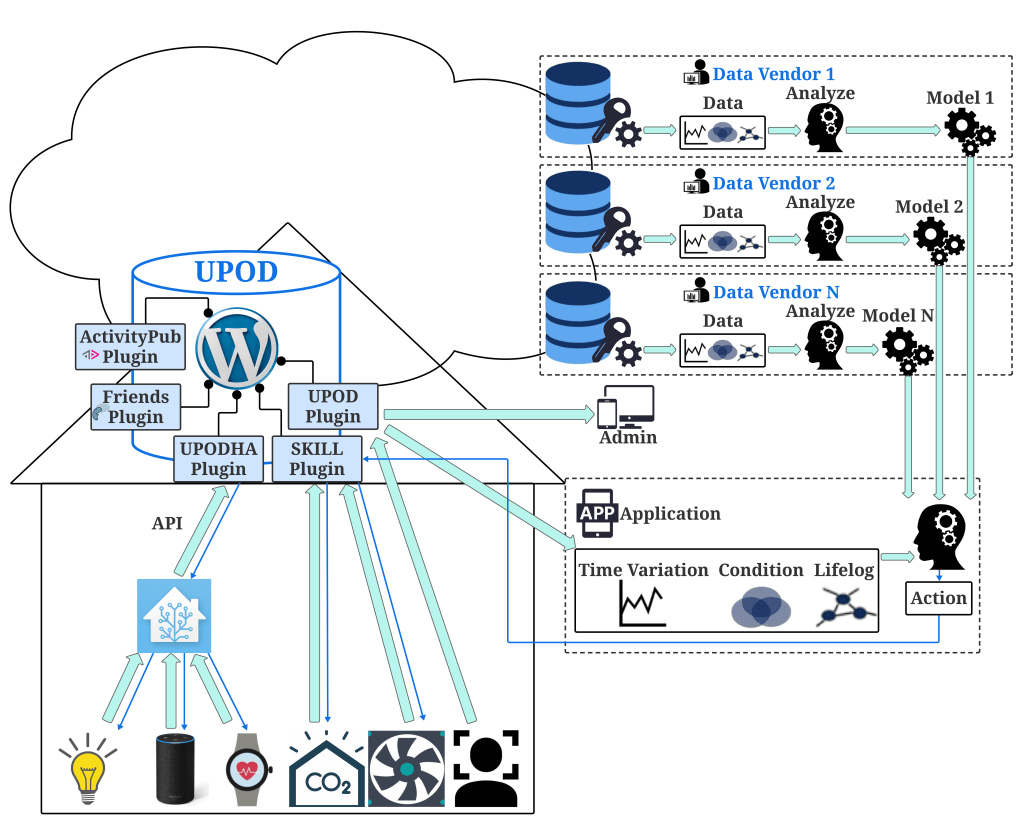
Home-UPOD: the demonstration prototype of the Ubi-House system
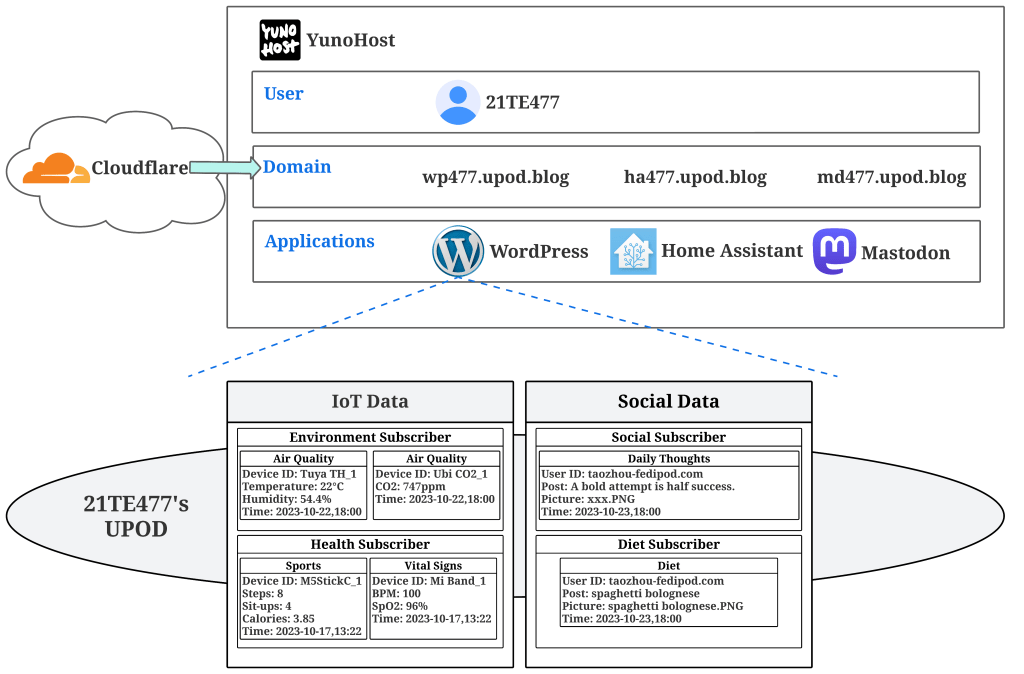
To validate the feasibility and effectiveness of our research, we created a demonstration prototype of the Ubi-House system, named Home-UPOD. Home-UPOD is built on Raspberry Pi 4.
First, we installed the open-source self-hosted server operating system, YunoHost, on the Raspberry Pi 4.
https://yunohost.org/ru/install/hardware:rpi34
Subsequently, the following three services were installed: WordPress, Home Assistant, and Mastodon. Domain names were configured for each of these services. For the purposes of this article, fictional domain names were used: home-upod.example.me for WordPress, homeassistant.example.me for Home Assistant, and mastodon.example.me for Mastodon.
Go to Github to download UPOD Plugin, SKILL Plugin, UPODHA Plugin, ActivityPub Plugin, Friends Plugin.
https://github.com/fedipod/upod-plugin
https://github.com/fedipod/skill-plugin
https://github.com/fedipod/upodha-plugin
https://github.com/Automattic/wordpress-activitypub
https://github.com/akirk/friends
Use Cloudflare Tunnel to build an intranet penetration tunnel
Cloudflare Tunnel is built on the principle of zero trust network. Using it, you don’t even need to open the firewall, so this article will briefly introduce how to deploy and use Cloudflare Tunnel.
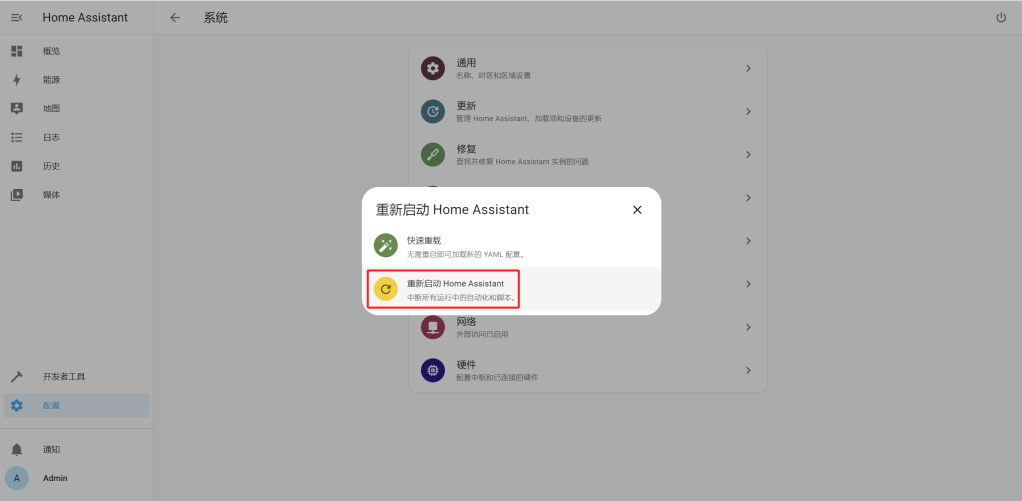
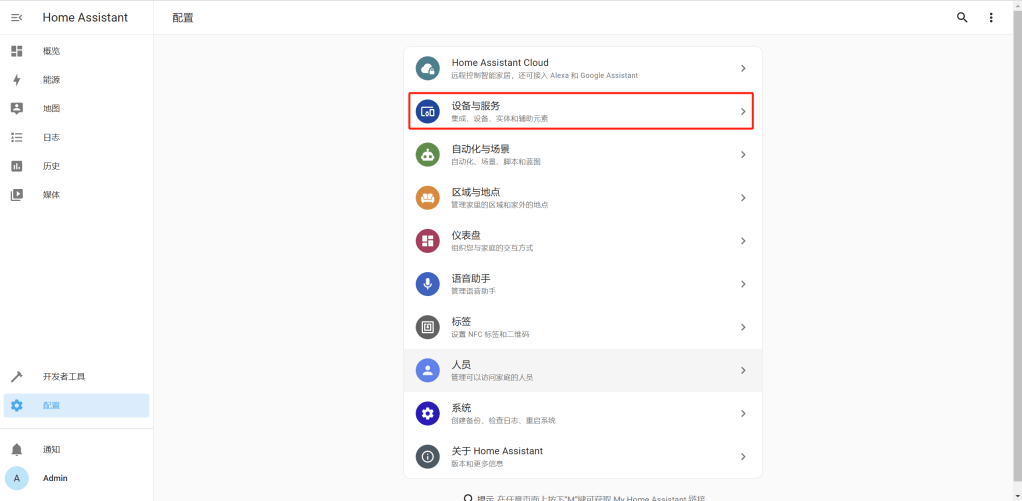
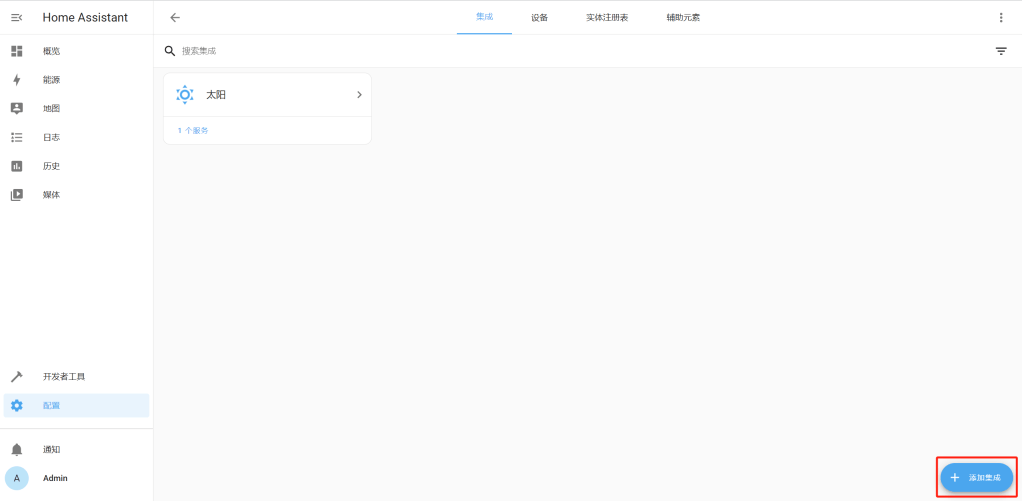
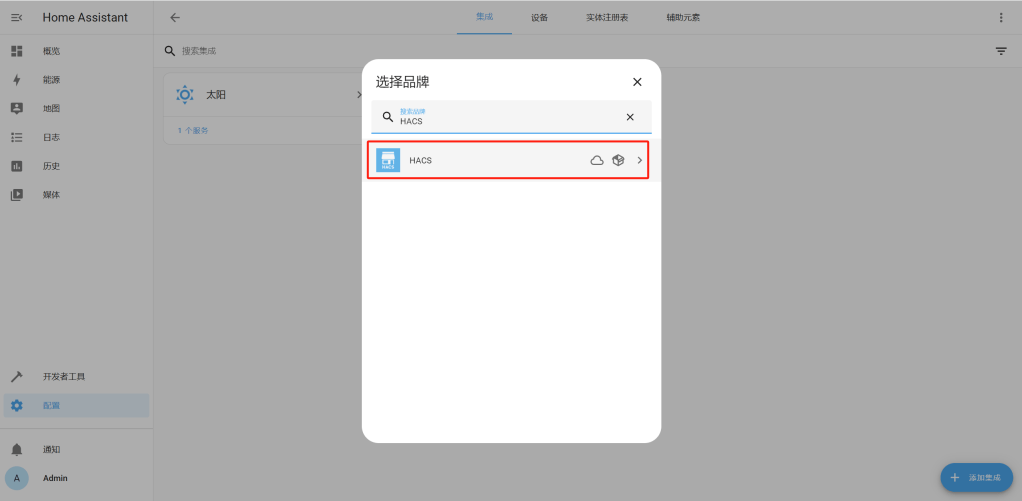
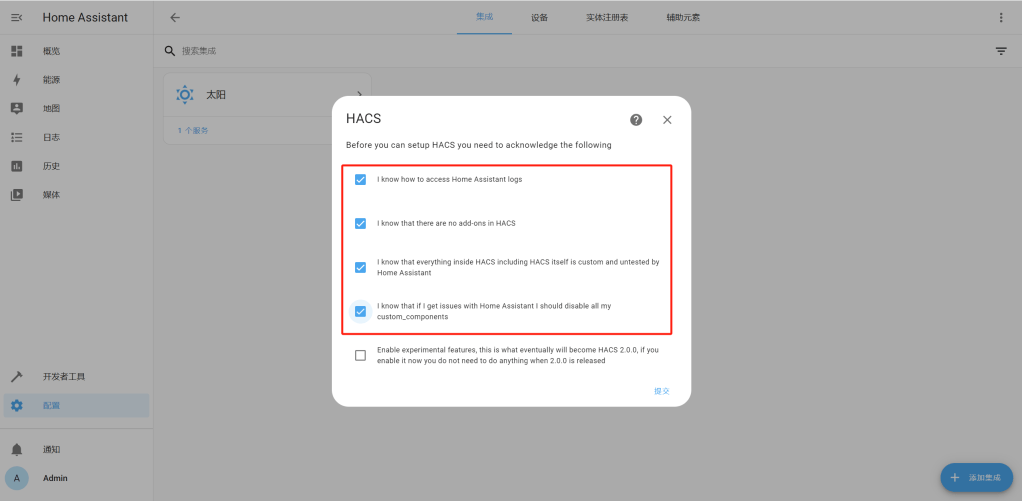
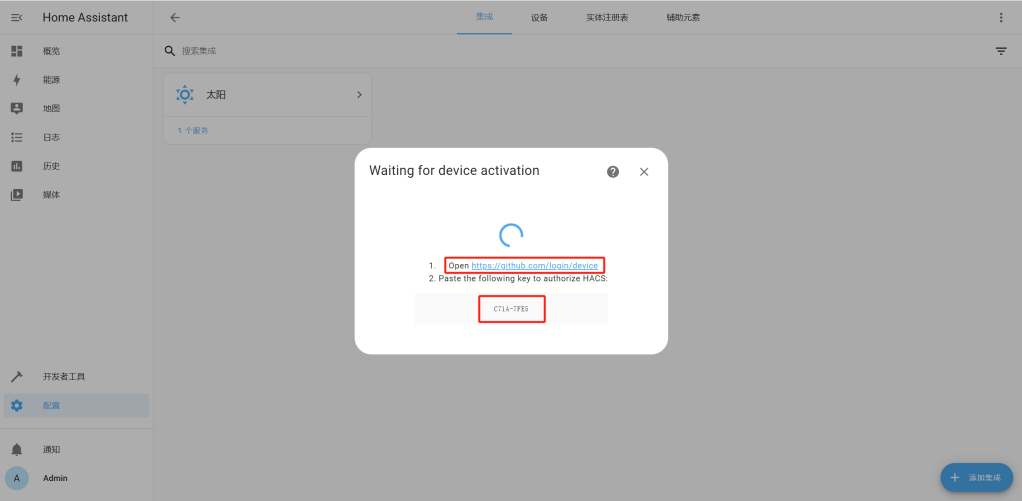
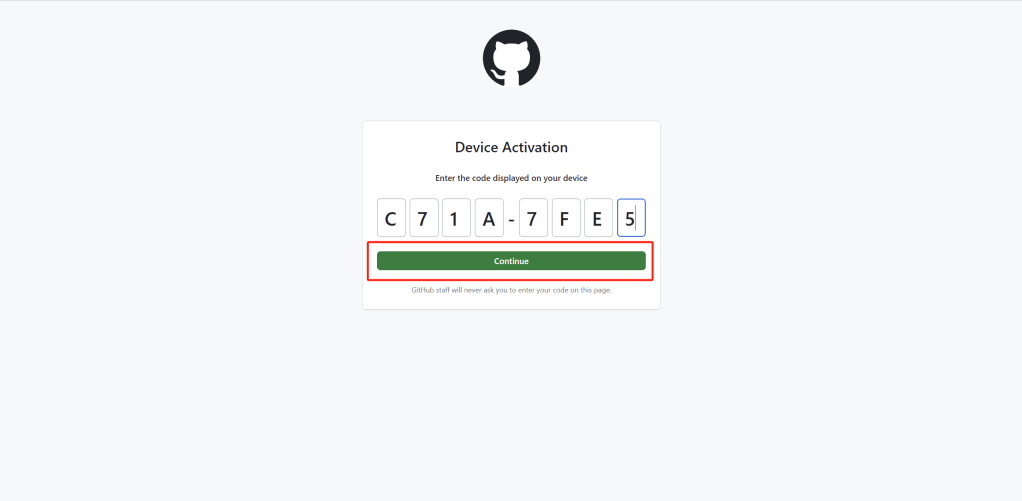
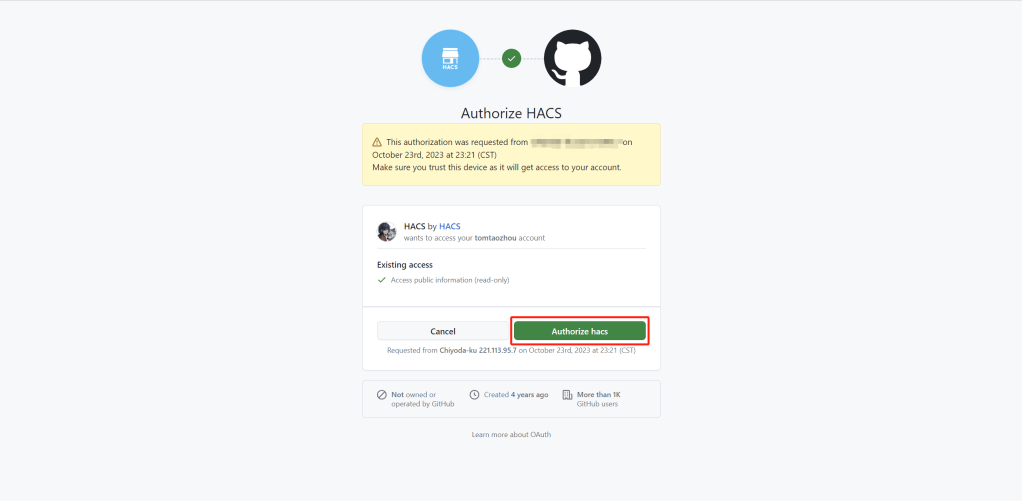
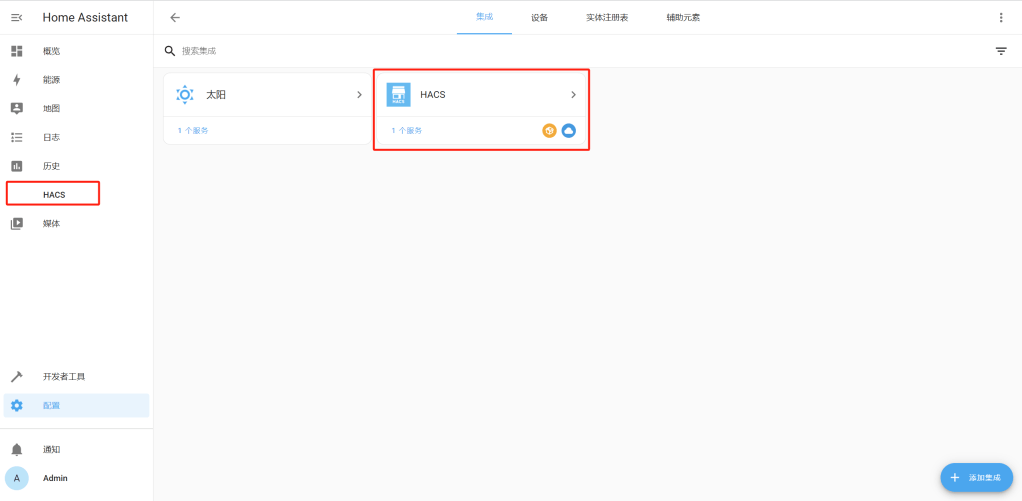
How to install HACS in Home-UPOD?
Step1: Open a terminal.
Step2: Change to the user that is running Home Assistant.
1. In the terminal window, enter the following commands:
ssh ID@Password2. In the terminal window, enter the password.
3. In the terminal window, enter the following commands:
sudo su4. In the terminal window, enter the following commands:
su homeassistant5. In the terminal window, enter the following commands:
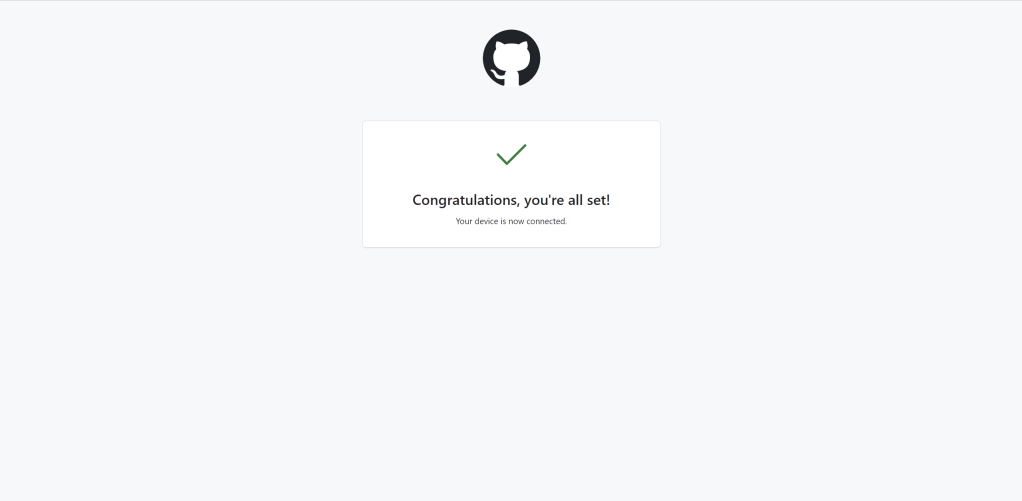
cd /home/yunohost.app/homeassistantStep3: Run the HACS download script.
1. In the terminal window, enter the following commands:
wget -O - https://get.hacs.xyz | bash -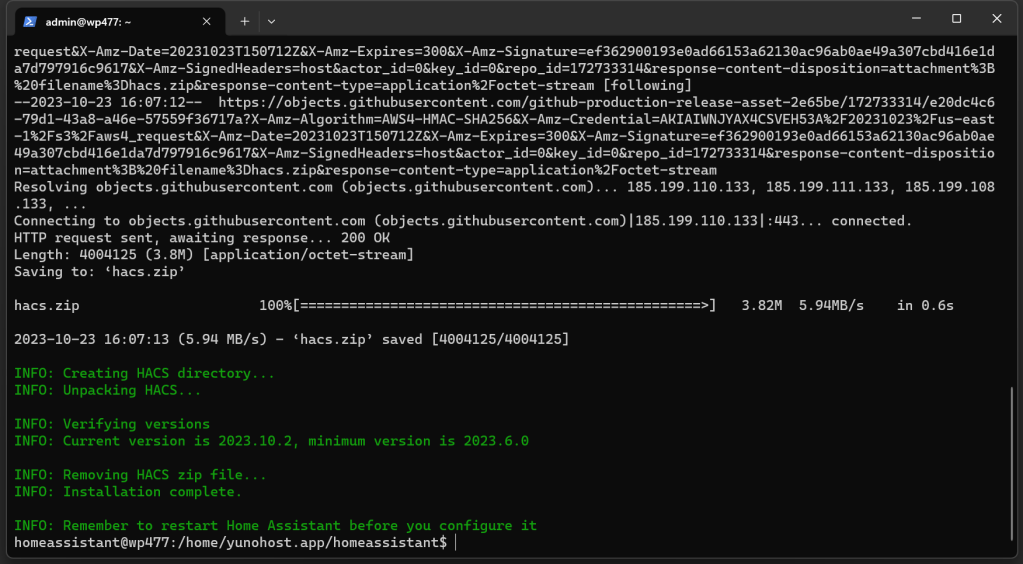
関連論文
Smart Home Integration and Data Sharing with ActivityPub and UPOD
2023 IEEE Intl Conf on Dependable, Autonomic and Secure Computing, Intl Conf on Pervasive Intelligence and Computing, Intl Conf on Cloud and Big Data Computing, Intl Conf on Cyber Science and Technology Congress (DASC/PiCom/CBDCom/CyberSciTech)
Tao Zhou, Yunhao Ni, Xinzhe Gao, Hong Chen
 ZhouEdu.net